CSLM AI TransformationRequest a review

All pages
Explore
HomeFree AI workflow reviewServicesWorkflow atlasImplementation guidesIndustry guidesFree toolsFree AI consultant agent kitFree voice assistant pilotInsightsAI NewsAboutPrivacyServices
All servicesAI consulting for small businessesPrivate AI server setup for medium businessesSoftware consolidation for small businessAI workflow automation for small businessCRM integration for growing teamsAI-assisted lead intake and routingAI dispatch call automation and intelligent routingAI Data Entry Automation for Small Business: Documents to CRMTools
25-workflow small-business AI atlasWorkflow, prompt & SOP builderSmall-business AI prompt generatorSmall-business AI SOP generatorSmall-business automation cost plannerSynthetic workflow test packPrint & sign quote-intake demoFree AI workflow toolkit12-agent AI consultant starter kitFree CSLM voice assistantPlaywright UI testing agentWatch a Playwright checkout testAll insights
Browse the complete libraryEvery AI Output Needs an Expiration DateYour AI Project Should Be Designed to Fail SmallA Voice AI Agent Should Confirm Before It CommitsThree Major AI Systems Went Down Together. Your Workflow Still Needs to Work.An AI Policy That Lives in a PDF Is Not a ControlAn AI Dashboard Is Not a Business ResultEvery AI Agent Needs a Budget, Not Just a PromptAI Is Not Replacing Hackers. It Is Compressing Their Timeline.If Your AI Workflow Has No Exception Lane, It Is Not ReadyHow Much Does It Cost to Run Your Own AI Server? A Practical Guide for Medium BusinessesAI Transformation for Small Business: A Practical 90-Day RoadmapBest Free AI Tools for Small Business in 2026: Uses, Limits, and RisksAI Workflow Automation for Small Business: What to Automate First20 Practical AI Automation Examples for Small BusinessHow to Connect Small-Business Software and Stop Duplicate Data Entry5 Repetitive Small-Business Tasks to Automate FirstWhen spreadsheets become an operations bottleneckHow Small Businesses Can Use AI Without Exposing Sensitive DataSmall-Business Automation Opportunities: A Practical 12-Point ChecklistAI Workflow for Small Business: A 7-Step Starter PlanFree AI Data Entry Tools for Small Business: 7 Safe Ways to Test ThemFree AI Tools for Business: 13 Hidden Risks to CheckAI Consulting Cost for Small Business: What Changes the PriceAI Automation Before and After: 10 Small-Business Productivity Examples12 AI Sales Automation Examples for Small BusinessAI UI Testing for Web Apps: An 8-Step Human-Reviewed Test PlanVisual Regression Testing With AI and Human ReviewAI Risks on Reddit for Small-Business Marketing: Spam, Trust, and DisclosureAI Risks on Nextdoor for Local Businesses: Privacy, Authenticity, and Community TrustReddit AI Sales Research for Small Business: A No-Spam WorkflowHow to Research AI Workflow Problems on Reddit Without SpammingAI Follow-Up for Nextdoor Leads: A Privacy-Safe Small-Business WorkflowNextdoor AI Workflow Research for Local Businesses: Questions, Privacy, and TrustDo AI Consultants Actually Know AI? What Small Businesses Should VerifyA New AI Consulting Lead Came In: What Should We Ask and Offer First?Playwright UI testing agent
Independent browser testing. Evidence a person can review.
Run approved CRM, CMS, ecommerce, and web-app journeys on a schedule—then receive exact assertions, screenshots, video, traces, and alerts when behavior changes.
Runs unattended after configuration. Human-owned requirements, credentials, safety gates, and escalation remain in place. Preview the applied UI testing credential →
vokhid-autoPASS
Live Shoplenty checkout
- 01 Storefront reachable ✓
- 02 Product and coupon verified ✓
- 03 Checkout total $0.00 ✓
- 04 Order confirmed ✓
- 05 2.56 MB download delivered ✓
Video 26.84 s7 screenshotsTrace saved
Real recorded demonstration
A complete Shoplenty purchase, from product discovery to delivered file.
Recorded on August 29, 2026 in an isolated Chromium session. The selected item was digital-only, the approved coupon reduced the order to zero, no card was entered, and no physical fulfillment was created.
Screenshot evidence
Every page and meaningful state was captured.
Contact data and the test-order identifier are redacted in the public screenshots. The automation used clearly labeled synthetic billing information.
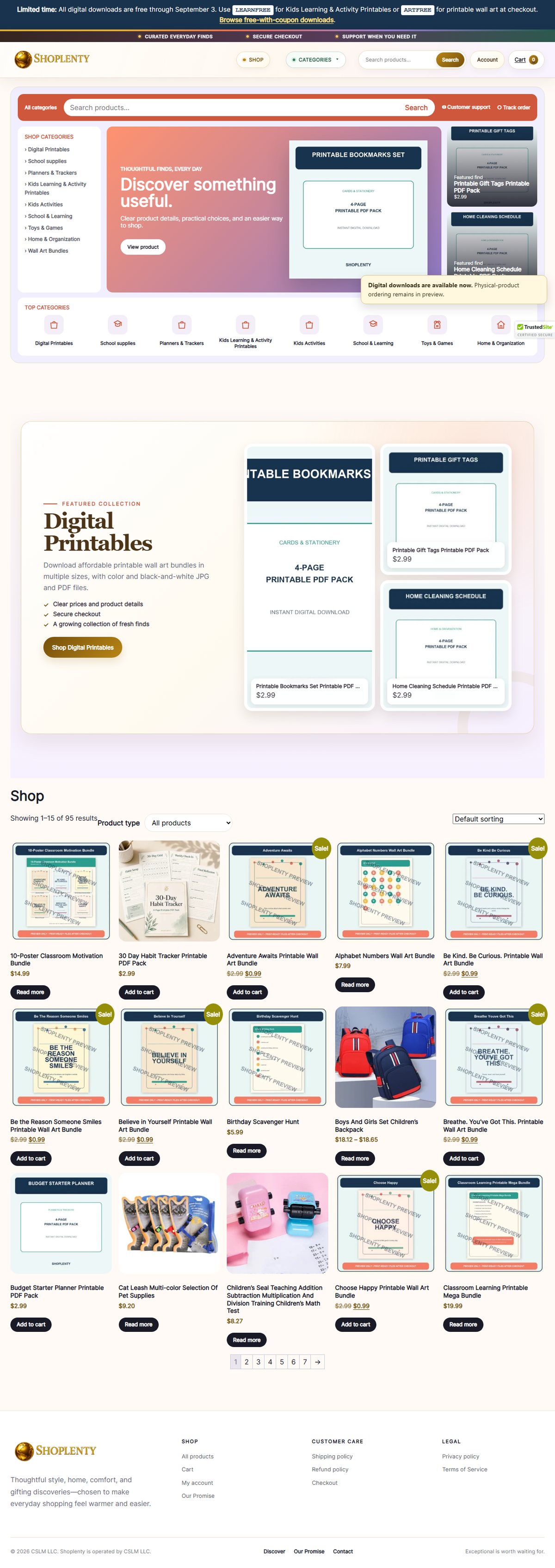
Live storefront
Verified that the public store loaded, the Shop heading was visible, and digital downloads were available.
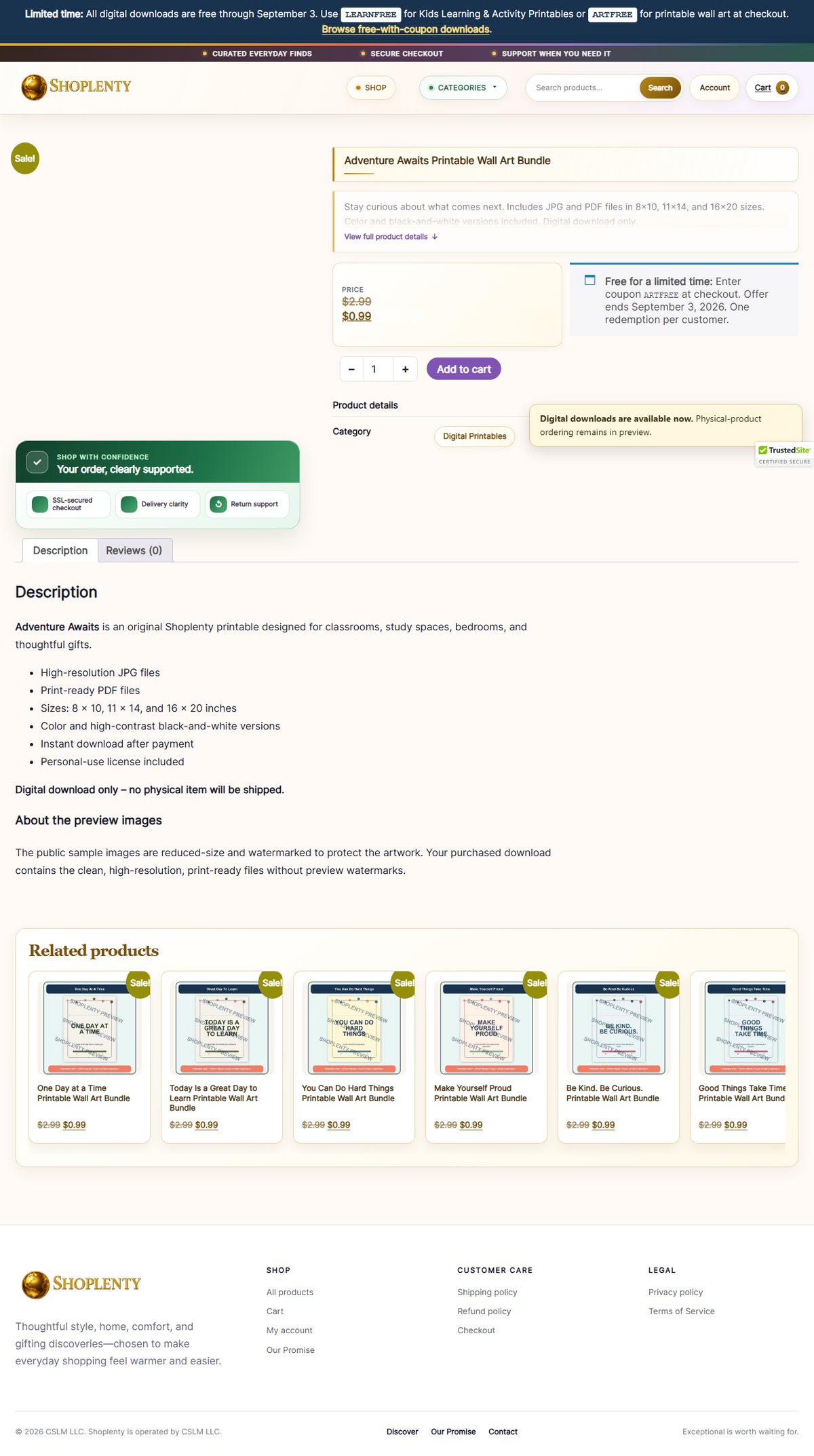
Digital product
Opened the selected wall-art bundle and checked the product name, digital-only disclosure, displayed price, coupon, and Add to cart control.
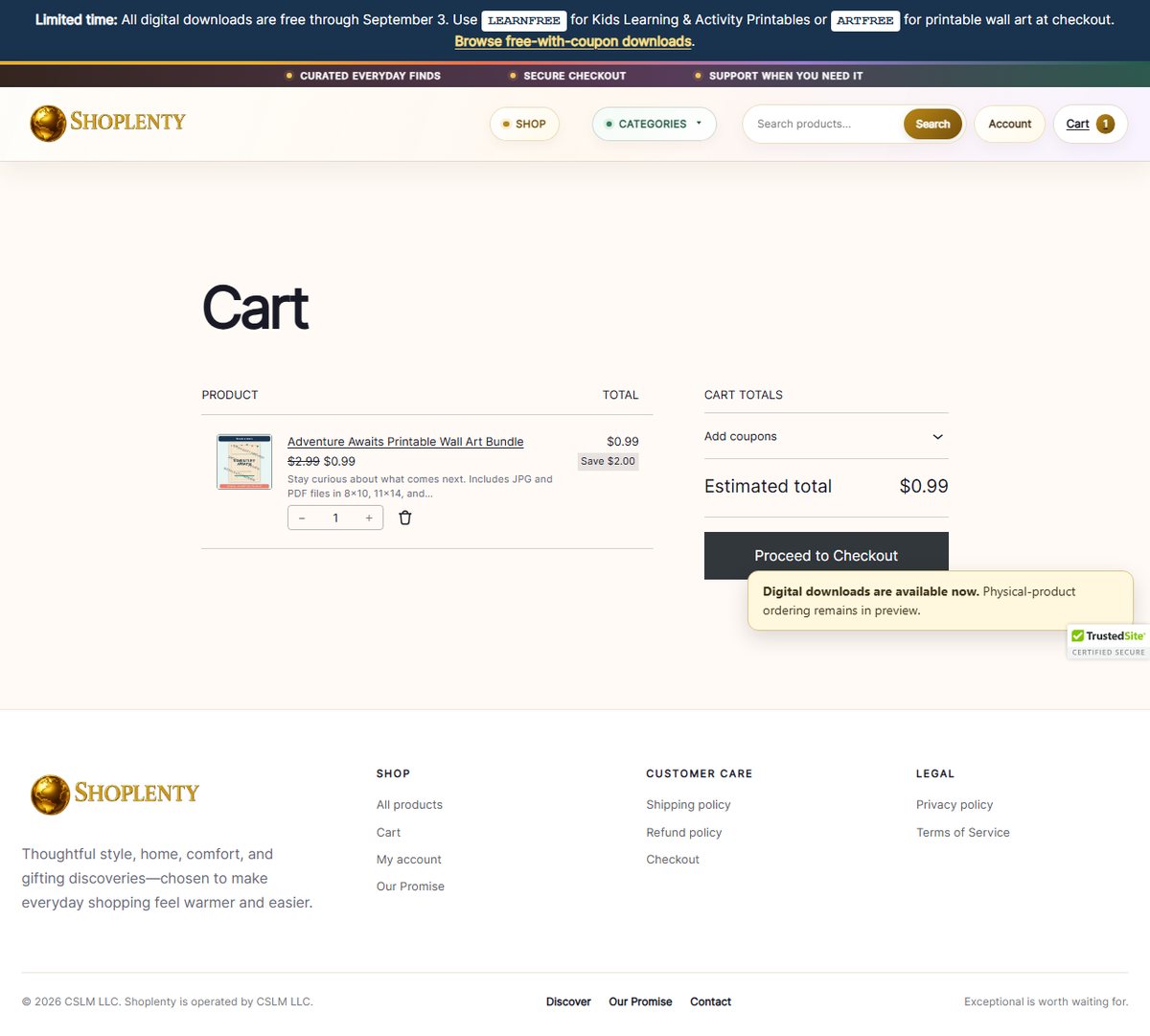
Cart before discount
Confirmed one expected product, quantity one, and the pre-coupon price before continuing.
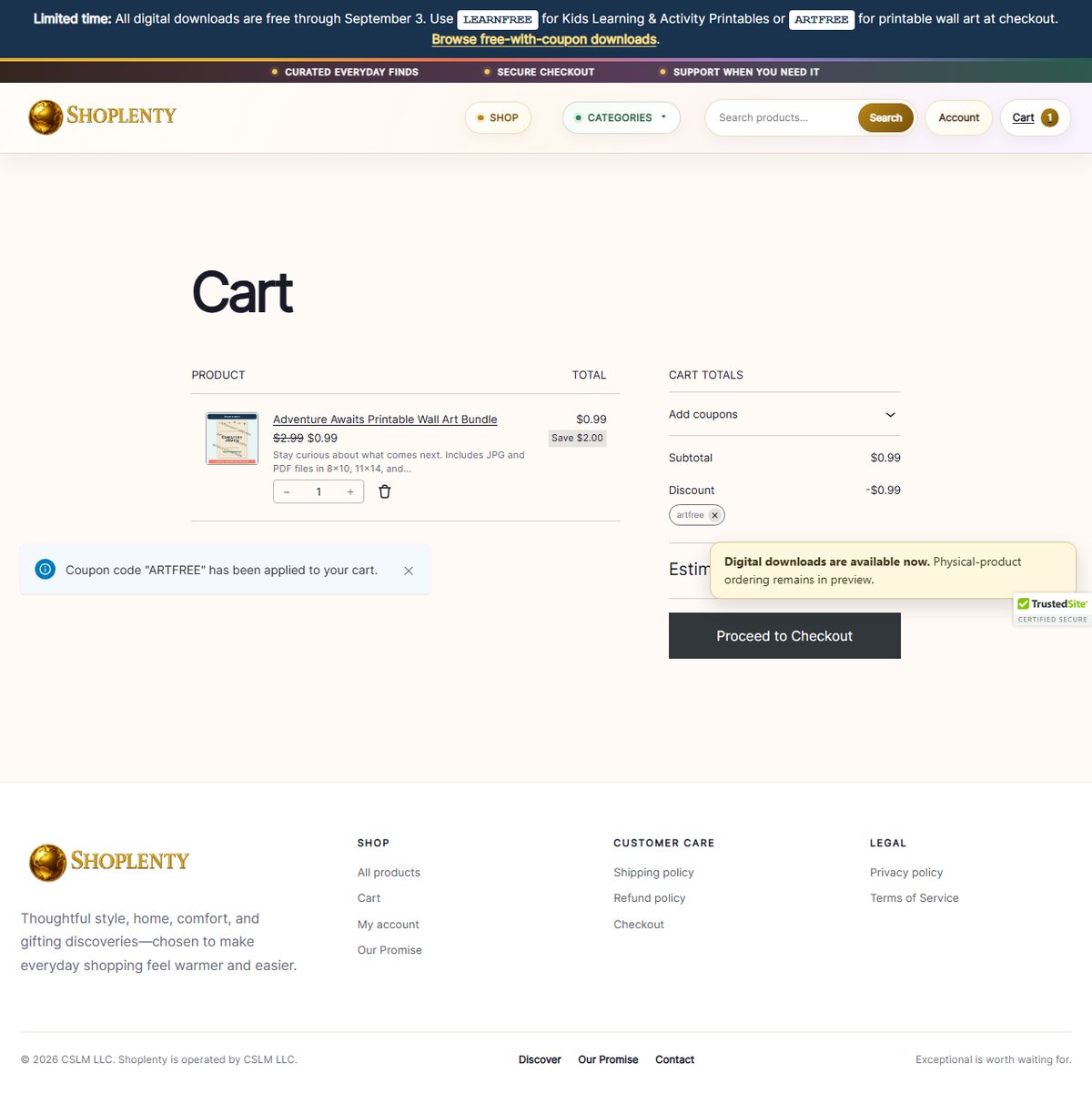
Coupon and zero total
Applied ARTFREE, verified the success message, and asserted that the estimated total changed to $0.00.
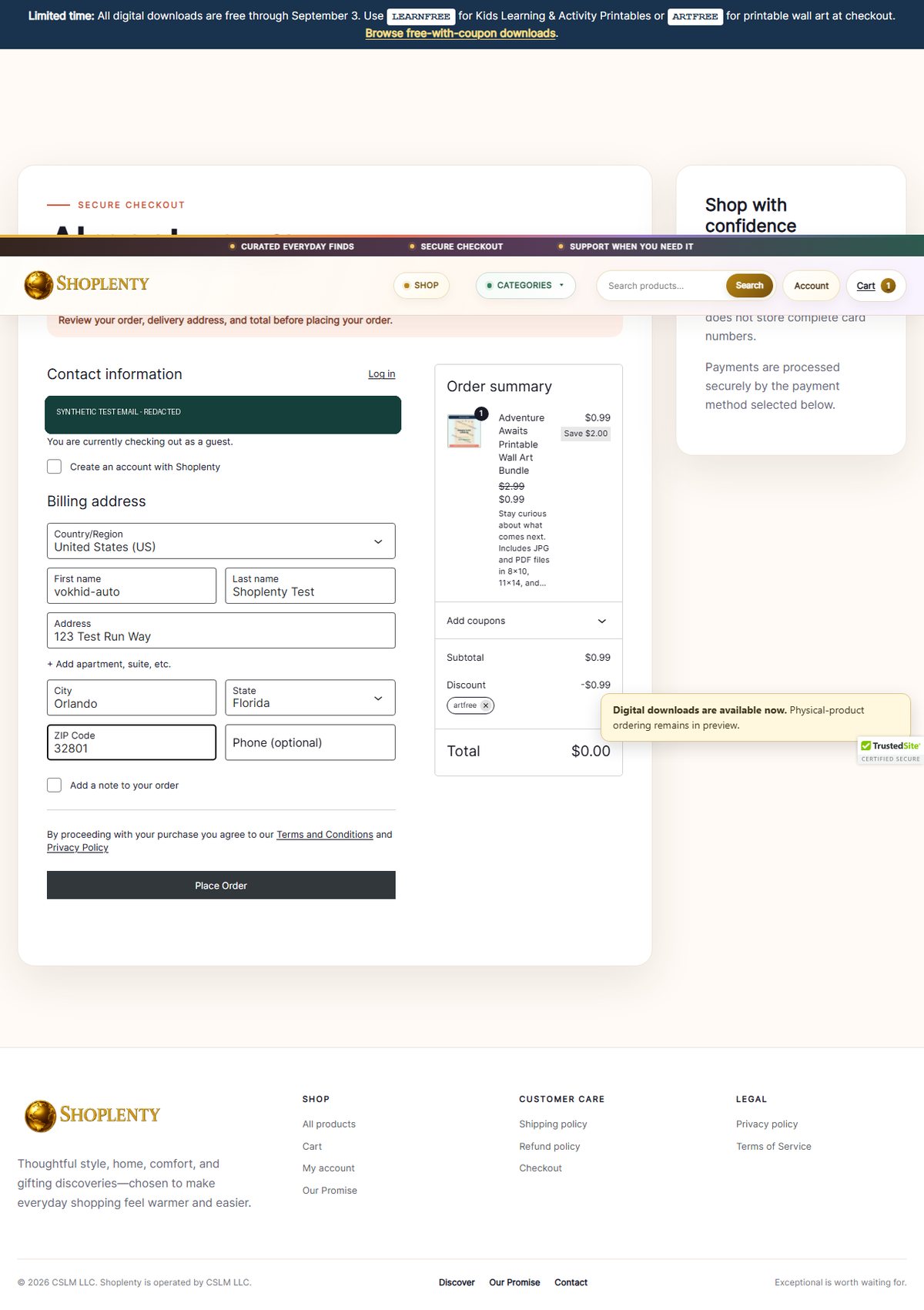
Checkout ready
Used clearly labeled synthetic test details, kept the order total at $0.00, and verified that Place Order was enabled.
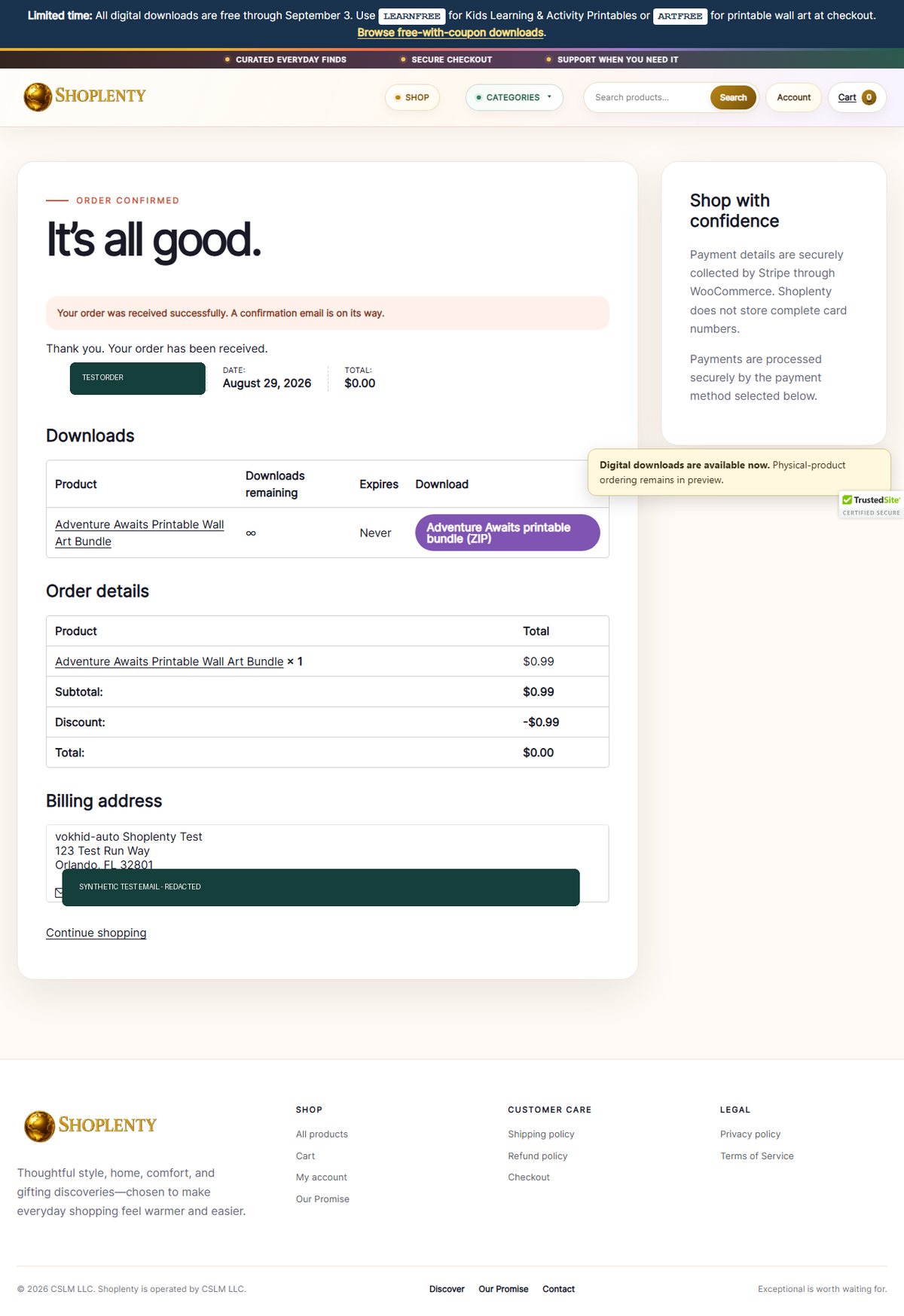
Order confirmed
Verified the order-received page, expected product, coupon discount, $0.00 total, and available download action.
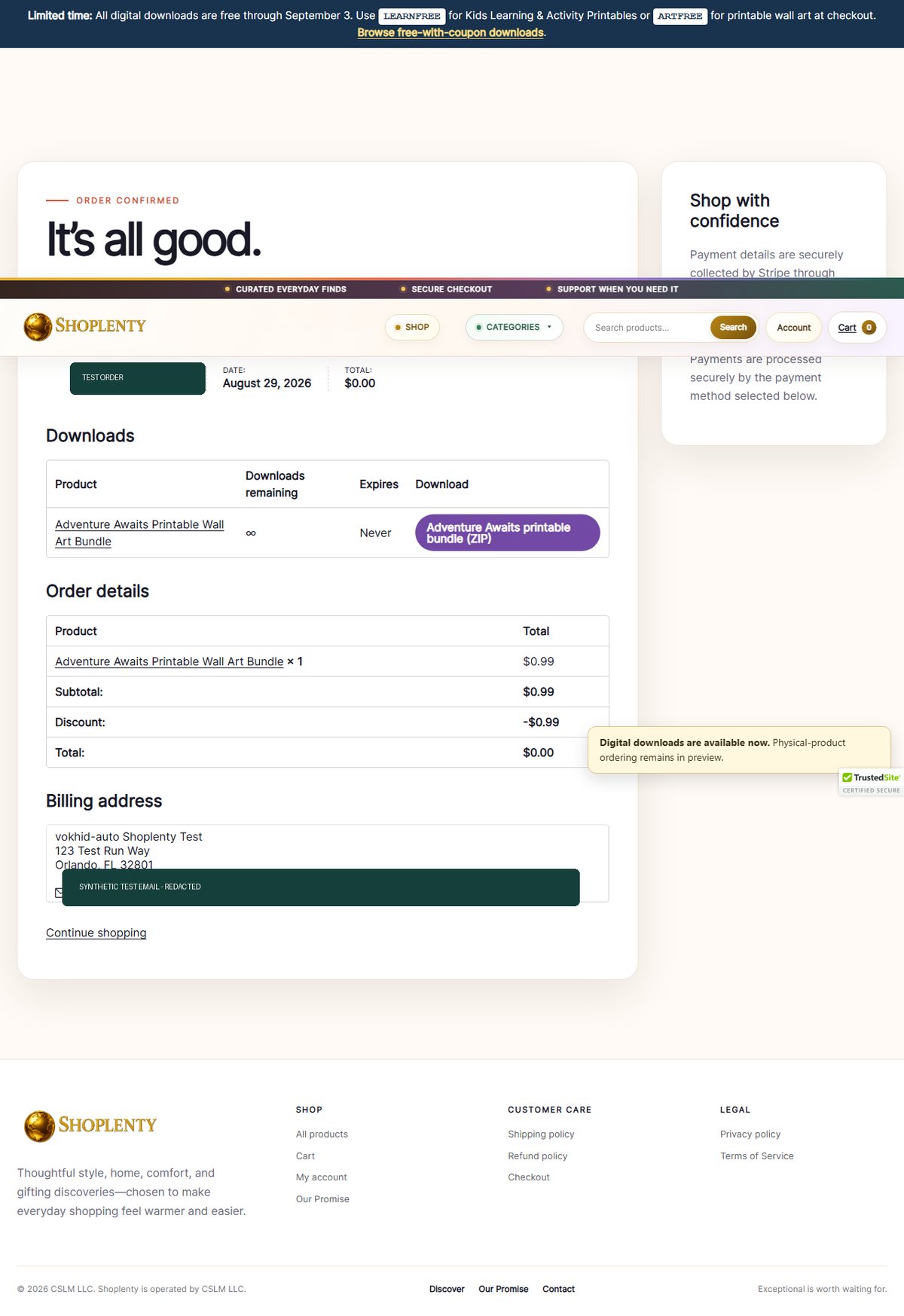
Download delivered
Triggered the digital download and saved a 2.56 MB ZIP file, proving that the delivered file was not empty.
CRM and CMS coverage
One agent, separate controlled journeys.
Each journey begins from a known account and data state, performs user-visible actions, asserts the business outcome, saves evidence, and routes uncertainty to a responsible owner.
Test the work behind the dashboard.
- Sign-in and role permissions
- Create, search, filter, and update records
- Required fields and validation messages
- Lead, order, case, and opportunity status changes
- Duplicate prevention and recovery paths
- Audit-visible user outcomes
Test content from draft to public page.
- Editor sign-in and permission limits
- Draft, preview, schedule, and publish states
- Forms, links, blocks, and media
- Responsive desktop and mobile layouts
- Titles, descriptions, canonicals, and structured fields
- Broken-content and regression alerts
Run on a schedule and escalate with evidence.
- Hourly, daily, release, or deployment triggers
- Chromium, Firefox, and WebKit projects
- Video, screenshots, trace, and written result
- Failure retry and flaky-test classification
- Email, chat, Jira, or incident-system alerts
- Human review for ambiguous or consequential actions
What “independent” means
Autonomous execution. Accountable ownership.
Once configured, the agent does not need a person to click through each run. It opens the approved environment, performs the journey, validates visible outcomes, preserves evidence, and reports the result.
Navigation, form interaction, assertions, screenshots, video, traces, retries, schedules, and alerts.
CAPTCHA, unexpected authentication, ambiguous requirements, unsafe data, or a consequential action outside the approved test plan.
Requirements, credentials, fixtures, access, release decisions, alert response, and approval for charges, fulfillment, messages, deletion, or permission changes.
Evidence-based result
What this demonstration proves—and what it does not.
Proven in this run
- The live storefront and product page loaded.
- The expected product entered the cart at quantity one.
- ARTFREE reduced the cart and checkout total to $0.00.
- The guest checkout accepted synthetic test data.
- The order-received page showed the expected product and zero total.
- The download action delivered a non-empty 2.56 MB ZIP file.
Not proven by one run
- Every product, coupon, role, browser, or viewport.
- Paid card processing, refunds, taxes, shipping, or fulfillment.
- Complete accessibility, security, performance, or usability.
- That a future scheduled run will remain green without monitoring.
- That a passing UI flow validates unasserted back-end rules.
- That every failure can be safely repaired without a person.
Continue the topic
Build reliability around the recorded journey.
AI UI testing for web apps
Combine deterministic browser assertions, safe test data, AI-assisted scenario design, and accountable release review.
Visual regression testing
Control screenshots, rendering conditions, difference triage, and baseline approval without hiding uncertainty.
Business-risk checklist
Review data, permissions, accuracy, recovery, cost, and human ownership before automation expands.
Common questions
Playwright UI testing agent FAQ
Can a Playwright UI testing agent run 24/7?
Yes. After the journeys, accounts, data, assertions, schedule, and alert rules are configured, Playwright tests can run unattended around the clock on a runner or cloud schedule. A responsible owner still defines requirements, reviews meaningful failures, approves consequential actions, and maintains credentials and test data.
Can it test a CRM or CMS without a person clicking every step?
Yes. It can sign into an approved test account, navigate forms and records, validate visible outcomes, capture evidence, and report deviations without a person driving the browser. Ambiguous requirements, CAPTCHA, production-side effects, and high-risk actions should stop or route to human review.
What evidence does each run produce?
A run can preserve pass or fail assertions, screenshots, video, a Playwright trace, console and network context, timing, and a written summary that links each finding to a reproducible step.
Does one passing run prove the entire application works?
No. It proves only the named journeys, browsers, data, viewports, and assertions used in that run. Coverage should be expanded according to business risk, with separate accessibility, security, performance, API, and human usability evaluation where appropriate.
Your application
Choose one critical CRM or CMS journey.
Bring it to a free 20-minute review to identify useful assertions, safe test data and a responsible next step. No purchase required; implementation and third-party costs are separate.
Request a free 20-minute review ↗